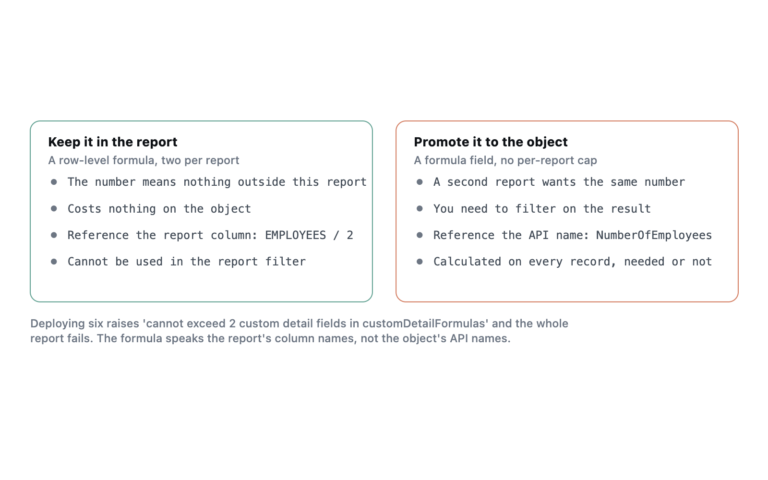
A bucket field groups values into categories inside one report, without a formula field, without a deployment, and without anyone else being able to use it. That last part is the catch. A bucket is a convenience for a single report, not a substitute for a field, and treating it as one produces orgs where the same categorisation is defined nineteen slightly different ways.
What a bucket replaces
Before bucket fields, grouping “Hot, Warm, Cold” into “Engaged and Not Engaged” meant a formula field, a deployment, and a permanent addition to the object. For a one-off analysis that was absurd overhead. Bucket fields removed it.
You get three kinds:
- Picklist buckets. Drag values into named groups. The cleanest of the three, because the source values are finite and known.
- Number buckets. Define ranges by upper bound. Each bucket covers values up to its boundary, and the boundary belongs to the bucket below it, so a value exactly on the line does not go where half of people expect.
- Text buckets. Match on exact values you type in. No wildcards, no contains, no pattern matching. This is where buckets break.
Where text buckets break
Text bucketing asks you to enumerate the values. If the field is free text, you cannot enumerate it, so you type the twelve values you saw and everything else falls into Other.
That works until someone types a thirteenth. Nothing errors. The report keeps running, the bucket keeps rendering, and a growing slice of your data quietly migrates into Other while the chart still looks reasonable. Six months later the categorisation is wrong and nobody noticed because there was never a moment of failure.
The mitigation is boring and effective. Always show unbucketed values as Other rather than hiding them, and put Other on the chart so its growth is visible. If Other is climbing, the bucket needs maintenance.
Why a bucket is not a field
Bucket fields live inside one report. Nowhere else. That single fact drives every real limitation:
- Another report cannot use it. You clone the report or rebuild the bucket by hand.
- A dashboard filter cannot reference it, because dashboard filters operate on fields the source reports share.
- Apex, Flow, validation rules and list views cannot see it.
- An integration pulling data through the API gets the raw value, not the bucket.
- Nothing stops two people defining contradictory versions of the same categorisation.
The decision rule is simple. If the categorisation is a business definition that more than one report, person or process needs to agree on, it belongs in a formula field or a picklist. If it is one analyst answering one question this week, bucket it and move on.
The limits
A report holds up to five bucket fields. Each bucket field holds up to twenty buckets, and each bucket holds up to twenty source values. Those numbers sound restrictive and mostly are not, because a categorisation that needs more than twenty groups is not really a categorisation.
Performance
Buckets are evaluated per row after the rows come back from the database. They cannot use an index and they do not make a query more selective. Filtering on a bucket field is filtering after retrieval, so a report that returns 300,000 rows and buckets them down to four categories has already done the expensive part.
When to promote a bucket to a field
Watch for three signals. The same bucket definition has been recreated in more than two reports. Someone has asked whether the bucket can be used in a dashboard filter. Or the bucket has become the thing people quote in meetings.
A bucket that is doing real business logic belongs in a formula field on the object, where reports, list views and automation can all see it. The limits on that are in formula field compile size.
Frequently asked
Can I use a bucket field in a joined report? Support for bucket fields varies by report format and has changed across releases. Build one and check rather than assuming. If the option is missing in the block, a formula field is the reliable route.
Do buckets deploy? They deploy as part of the report metadata, since they are defined inside the report. They do not exist as standalone metadata and cannot be shared between reports.
Can I bucket a formula field? Yes, if the formula returns a type buckets support. Bear in mind you are now computing a formula per row and then bucketing the result per row, which doubles the per-row work.
What happens to blank values? They fall outside every bucket and land in Other, or vanish from the grouping if you have chosen not to display unbucketed values. Blanks are not the same as zero, and number buckets treat them differently from a bucket whose range starts at zero.