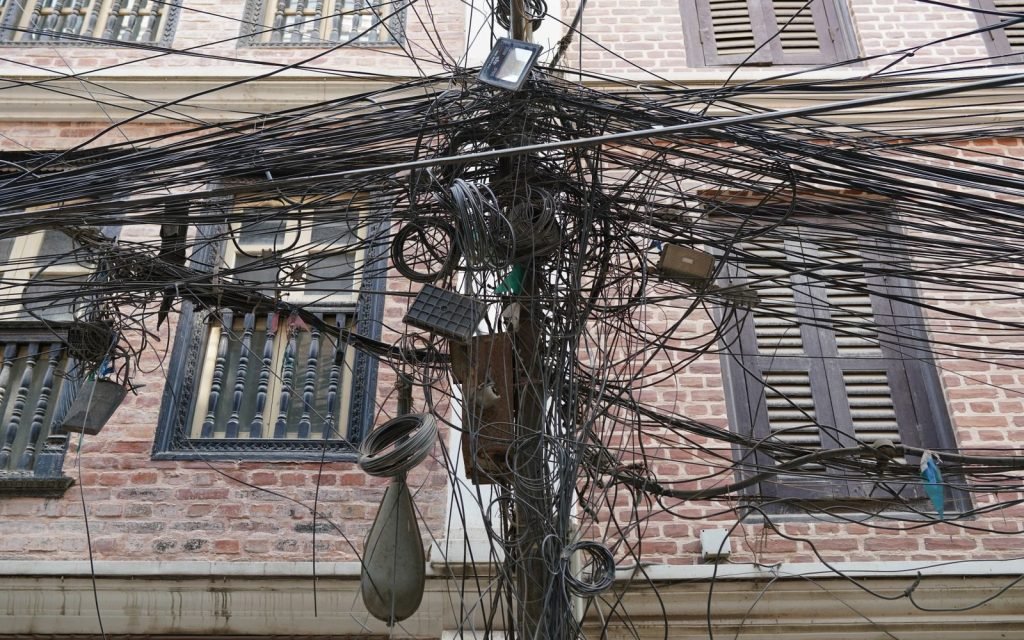
Your save is slow because one update fires automation that updates other records, which fires more automation, and nobody has counted the total. Map it before you optimise it: list every object your save writes to, follow each of those objects’ automation one level further, and you usually find the transaction touching four or five objects nobody intended. The count, not the complexity, is what breaks the CPU limit.
What dependency sprawl looks like
A rep updates an Opportunity. That is one DML statement from the user’s point of view. Underneath:
- A record-triggered flow updates the parent Account’s “last activity” field.
- The Account update fires an Account flow that recalculates a health score.
- The health score is a field a roll-up on a custom object watches, so those rows update.
- A managed package trigger on that custom object writes an audit row.
- The audit object has a flow that posts to Chatter.
Five objects, five automation layers, one user click. Every one of those writes is inside the same transaction, sharing 150 DML statements, 10,000 DML rows and 10,000 ms of CPU.
Counting it, without guessing
Turn on a debug log at Apex Code FINEST, save one record, and read the log for what the transaction actually did rather than what you believe it does.
The two things to look for: CODE_UNIT_STARTED and CODE_UNIT_FINISHED pairs name every trigger, flow and class that ran, in order. And the CUMULATIVE_LIMIT_USAGE block at the end gives you the totals, broken out per namespace by LIMIT_USAGE_FOR_NS lines.
That namespace breakdown settles the argument about whether it is your code or a package. If your namespace shows 12 of 150 DML statements and the package shows 90, the conversation is about the package, not your flow.
For a quick inventory without reading logs:
SELECT Id, Label, ProcessType, TriggerType, Status
FROM FlowDefinitionView
WHERE IsActive = true
ORDER BY Label
Cross-reference that against your trigger list. A count of active automations per object is a crude metric and still the most useful first number you can produce.
Where the cost actually accumulates
| Cause | What it costs |
|---|---|
| Each downstream object written | DML statements, and a fresh round of that object’s automation |
| Flows evaluating on every save | CPU, even when no criteria match |
| Roll-up summaries on master-detail | Parent row locks, and contention under load |
| Formula fields with cross-object references | Recalculation on parent change |
| Recursive re-entry | Everything, twice |
The disproportionate one is roll-ups and parent updates, because they serialise. Ten child updates under one parent are ten attempts at the same lock, and a transaction waits a maximum of ten seconds before failing with UNABLE_TO_LOCK_ROW.
Reducing it
Stop writing to the parent on every child save. A “last activity date” that is accurate to the minute is rarely a business requirement. Nightly is usually fine and removes the parent write from the hot path entirely. This is the single highest-value change in most orgs and it is a conversation, not a code change.
Gate flows with entry criteria, not decision elements. A flow with entry criteria does not run when the criteria fail. A flow that starts and then decides has already spent CPU. Use the “only when a record is updated to meet the condition” option so the flow runs on the transition rather than on every save.
Consolidate per object. Five flows on one object is not five small problems — it is an ordering problem you cannot see, because flow execution order within a trigger type is not guaranteed in a way you should depend on. Consolidating them makes the order explicit.
Move genuinely async work out. An audit row or a Chatter post does not need to be in the user’s save transaction. A platform event or a queueable takes it out. What you give up is atomicity: if the async step fails, the save still happened, and you need to handle that rather than pretend it cannot occur.
Add bypass switches. A custom permission checked in flow entry criteria lets a data load skip automation that exists for interactive users. Bypass logic is the difference between a two-hour load and a two-day one.
A sequencing that works
- Log one save at FINEST and list every object written.
- For each, ask what would break if it were computed nightly instead.
- Delete or async everything that survives that question.
- Consolidate what remains, one tool per object where you can.
- Re-log and compare the limit usage. Keep the before and after numbers.
Step two is where the wins are, and it is not a technical step. Most sprawl is accumulated requirements that nobody has revisited since they were written.
Frequently asked
How many automations per object is too many?
There is no threshold that means anything on its own. What matters is limit consumption per save and whether the order between them is deliberate. Two badly interacting flows are worse than six independent ones.
Does a flow that does nothing still cost CPU?
Yes, if it runs. Entry criteria are evaluated cheaply and can prevent the run. Decision elements inside a started flow cannot. That distinction is most of the available saving.
Do managed package triggers count against my limits?
The limits are shared per transaction, so yes in effect — though package code with its own namespace has some of its own allowances. The LIMIT_USAGE_FOR_NS lines in the log tell you exactly how the budget was split.
Is an async step always better?
No. You trade a slow save for eventual consistency and a new failure mode where the async step never runs. For anything a user expects to see immediately after saving, that trade is wrong.
How do I stop this coming back?
Make the automation inventory per object part of review, and require anybody adding a flow to say which existing one it should have been added to instead. Sprawl returns because adding is easier than looking.
Reference: Triggers and Order of Execution, Debug Log Levels and Execution Governors and Limits, Salesforce Apex Developer Guide.


